
Running a personal training business on your own means wearing a lot of hats. You’re the coach, the salesperson, the administrator, the customer support team, and sometimes even the accountant.
That might work when you’re managing five or ten clients. But what happens when you’re ready for 30, 50, or even 100?
Suddenly, spreadsheets become harder to maintain. Client check-ins pile up. Scheduling takes more time than it should. And the hours you could spend coaching or attracting new clients disappear into administrative work.
That’s where the right personal training software makes a difference.
But here’s the thing: the best personal training software for independent trainers isn’t necessarily the one with the most features. It’s the one that helps you grow your business without growing your workload at the same pace.
In this guide, we’ll explore the seven essential features to look for, compare popular software options, and show you how to calculate whether your investment is actually paying off.
What features should you look for in personal trainer software when scaling?
When scaling an independent personal training business, prioritize software that helps you manage more clients, automate repetitive tasks, collect payments, track progress, and maintain personalized communication.
The seven most important features are:
- Client management: Keep client information, programs, and activity organized.
- Scheduling and booking: Reduce administrative work and make it easier for prospects to book.
- Billing and payments: Simplify recurring revenue and reduce manual payment collection.
- Progress tracking: Demonstrate results and identify clients who need attention.
- Client communication: Maintain personalized relationships as your roster grows.
- Integrations: Connect your existing tools and eliminate duplicate work.
- AI and automation: Save time on programming, check-ins, and repetitive tasks.
Each feature addresses a different growth bottleneck. The key is understanding which one is holding your business back today and which ones you’ll need as you scale.
7 essential personal trainer software features for growing your business
1. Client management: keep your business organized as your roster grows
When you’re coaching a handful of clients, remembering everyone’s goals, preferences, training history, and progress might feel manageable.
At 50 clients? Not so much.
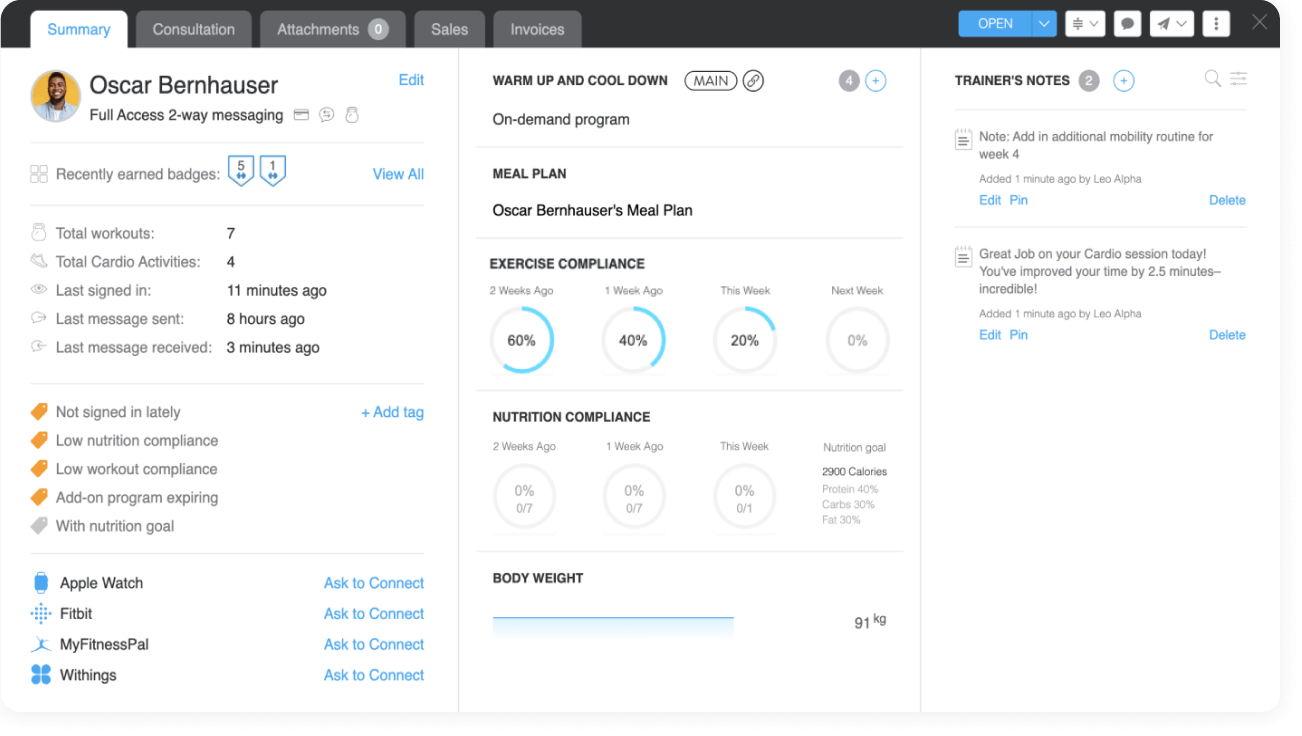
Without a centralized client management system, information gets scattered across spreadsheets, messaging apps, emails, and notes. That creates more work and increases the risk of missing important details.
What to look for:
- Centralized client profiles with training history, goals, and notes.
- Workout and nutrition program management.
- Client segmentation based on activity, goals, or engagement.
- Easy access to individual client information.
- Options for adding coaches or assigning clients as your business expands.
Why it matters for scaling:
Organized client information means less time searching for details and more time delivering personalized coaching.
For example, saving just five minutes per client each week across 50 clients gives you back more than four hours weekly.
That’s time you could spend onboarding new clients, improving your programs, or simply getting your evenings back.
Business metric to track:
Administrative minutes per client per week.
Time-to-revenue:
Time savings can begin immediately after implementation. Additional revenue depends on whether that recovered capacity is used to serve more clients.
2. Scheduling and booking: make it easier for clients to say yes
Every unnecessary step between a prospect discovering your business and booking a consultation creates an opportunity for them to lose interest.
If you’re still coordinating appointments through endless DMs or emails, scheduling could be slowing your growth.
What to look for:
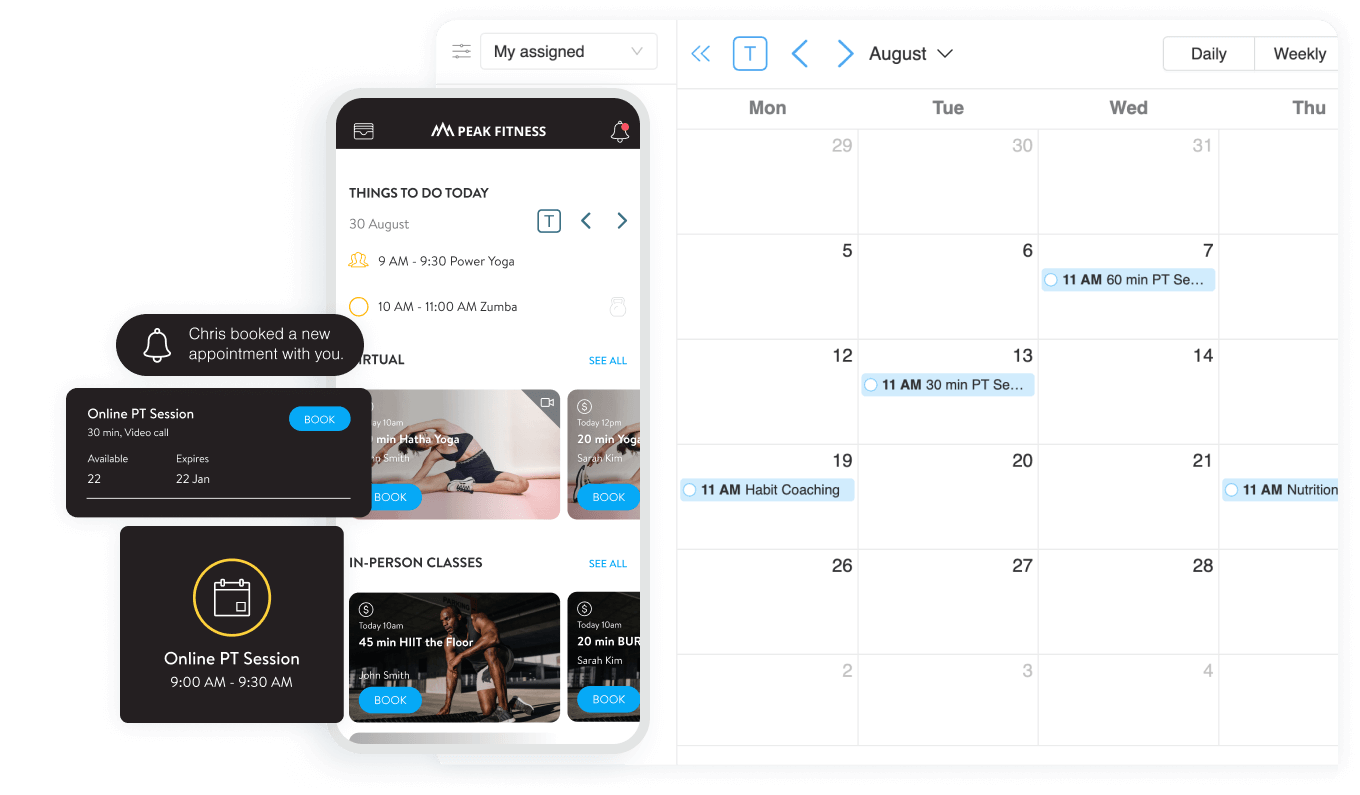
- Online appointment booking.
- Shareable consultation links.
- Calendar synchronization.
- Automated reminders and confirmations.
Why it matters for scaling:
For independent trainers, the value goes beyond convenience. A simpler booking experience can shorten the path from interested prospect to paying client.
Imagine receiving ten consultation requests each month. If easier booking helps you convert just one additional prospect into a $150/month coaching client, that’s $1,800 in annualized revenue, assuming that client stays for 12 months.
ABC Trainerize, for example, offers prospect booking tools through its Business Add-on, helping coaches streamline the journey from initial interest to a scheduled consultation.
Business metric to track:
Consultation booking rate and lead-to-client conversion rate.
Time-to-revenue:
Potentially within the first sales cycle, especially if scheduling friction is already costing you leads.
3. Billing and payments: build more predictable revenue
Chasing payments is probably not why you became a personal trainer.
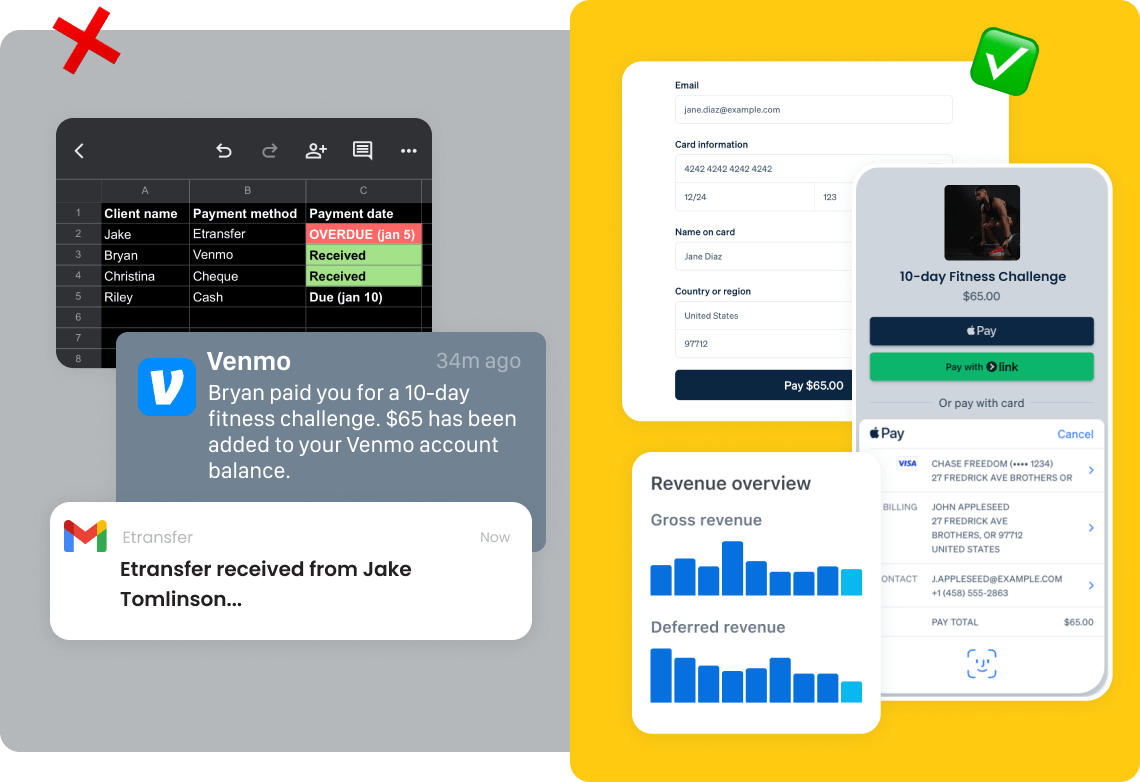
Yet manual invoicing, payment reminders, and tracking outstanding balances can become surprisingly time-consuming as your business grows.
Your software should make it easier to sell and manage your services, whether you offer monthly coaching, individual sessions, or digital training programs.
What to look for:
- One-time and recurring payments.
- Payment processor integrations.
- Automated delivery of purchased programs.
- Subscription and package management.
- Clear transaction records and payment status.
- Transparent processing fees.
Why it matters for scaling:
Consider a trainer managing 40 clients who spends ten minutes per client each month handling payment-related tasks.
That’s nearly seven hours of administrative work every month.
Automating part of that process doesn’t just save time. It also creates a smoother purchasing experience and makes recurring revenue easier to manage.
With Stripe Integrated Payments, ABC Trainerize coaches can sell coaching products, collect payments, and automate eligible program delivery after purchase.
Business metric to track:
Monthly recurring revenue (MRR), payment collection time, and overdue payment rate.
Time-to-revenue:
Often within the first billing cycle, through reduced administrative work and more efficient payment collection.
4. Progress tracking: turn client results into long-term retention
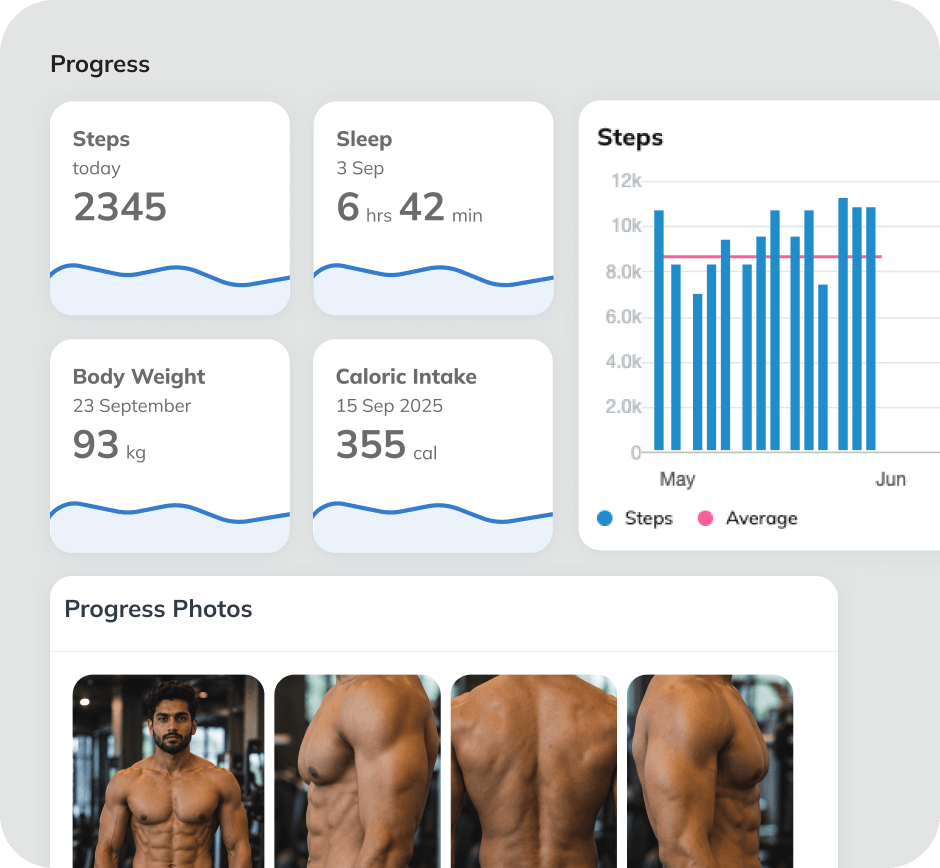
Getting a new client is exciting. Keeping that client engaged for the next six or twelve months is what helps build a sustainable business.
And clients can better recognize the value of coaching when they can see their progress.
The right software should help you track more than weight or completed workouts.
What to look for:
- Workout completion and adherence.
- Strength and performance improvements.
- Progress photos and body measurements.
- Nutrition and habit tracking.
- Client check-in forms.
- Progress dashboards and reports.
Why it matters for scaling:
You need a way to identify clients who are progressing, struggling, or becoming disengaged without reviewing every profile manually.
ABC Trainerize’s progress tracking capabilities bring together workouts, nutrition, habits, and body metrics.
Consider a trainer charging $200 per month with 50 active clients.
Retaining just one additional client for three extra months represents $600 in additional revenue.
Progress tracking doesn’t guarantee retention, but it gives you better information to intervene before disengagement turns into cancellation.
Business metric to track:
Monthly client retention, workout adherence, and client lifetime value.
Time-to-revenue:
Usually one or more retention cycles, as improved visibility helps inform timely coaching interventions.
5. Client communication: stay personal without being available 24/7
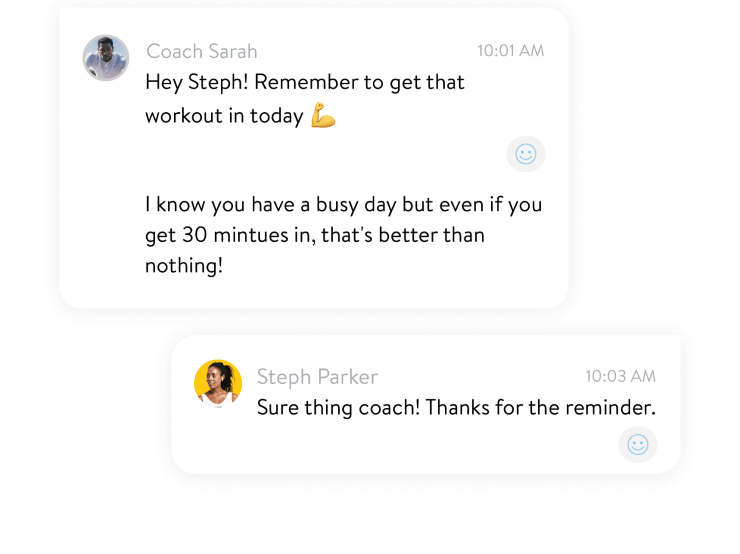
As your business grows, communication becomes one of your biggest time commitments.
And that’s not necessarily a bad thing. Personalized feedback, encouragement, and accountability are part of what makes coaching valuable.
The problem starts when every message requires you to stop what you’re doing, switch apps, and search for context.
What to look for:
- In-app client messaging.
- Scheduled messages and reminders.
- Group communication options.
- Check-in forms and feedback workflows.
- Client activity notifications.
- Communication history linked to client profiles.
Why it matters for scaling:
The goal isn’t to communicate less. It’s to make your communication more intentional.
For example, a coach could use automated reminders to encourage clients to complete weekly check-ins, then focus personal attention on clients who need help adjusting their plans.
That creates a more consistent experience without requiring constant manual follow-up.
Business metric to track:
Communication time per client, check-in completion rate, and client engagement.
Time-to-revenue:
Time savings can begin quickly, while revenue benefits depend on improved retention or increased capacity.
6. Integrations: make your existing tools work together
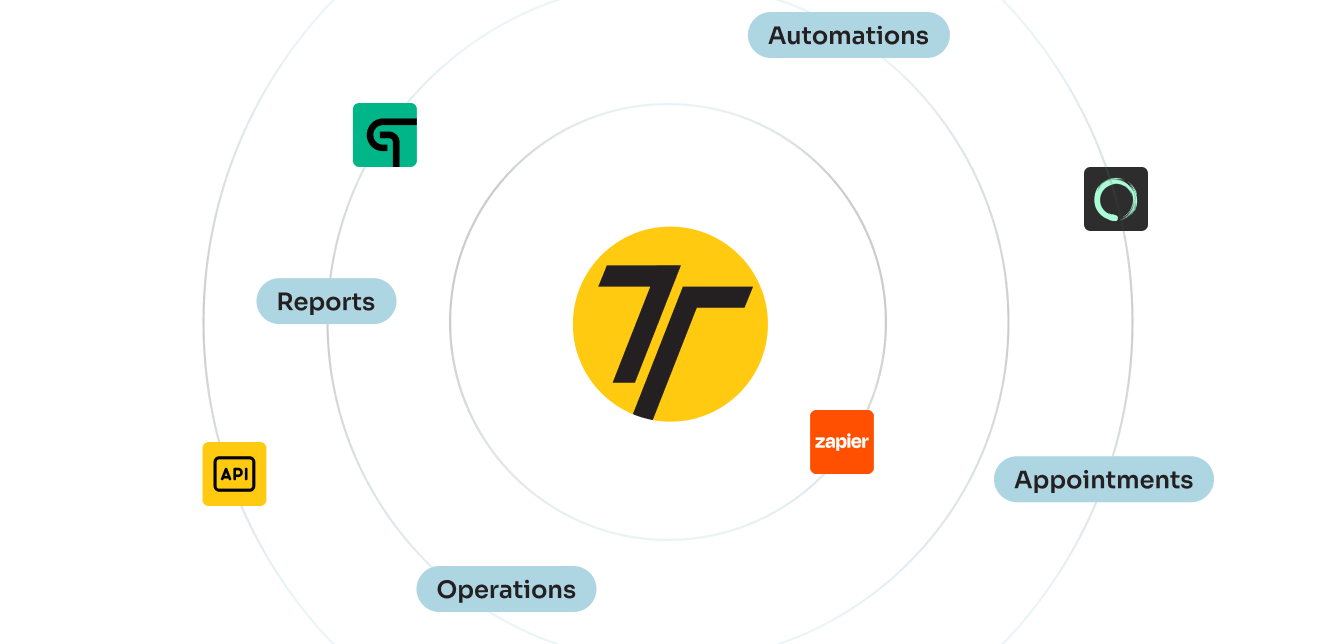
Independent trainers rarely start with a perfectly connected technology stack.
You might use one tool for payments, another for scheduling, a spreadsheet for leads, and a wearable app for client activity.
That works until you’re spending hours transferring information between them.
Before choosing a platform, check whether it connects with the tools you already use.
Important integration categories include:
- Payments: Stripe or other supported processors.
- Calendars: Google Calendar and compatible scheduling systems.
- Marketing: Email platforms and CRM tools through native integrations or automation connectors.
- Fitness and health: Wearables and activity-tracking apps.
- Workflow automation: Zapier, APIs, or webhooks where supported.
ABC Trainerize, for example, supports integrations with popular fitness-tracking services, allowing coaches to incorporate client activity and health metrics into their coaching workflows.
But integration depth matters.
A platform that imports activity data isn’t necessarily capable of triggering automated marketing campaigns from that data.
Check which information moves between systems, how frequently it syncs, and whether additional subscriptions are required.
Business metric to track:
Hours spent on duplicate data entry and number of manual workflow steps.
Time-to-revenue:
Often within weeks of connecting and testing your most frequently used tools.
7. AI and automation: increase your capacity without increasing your hours
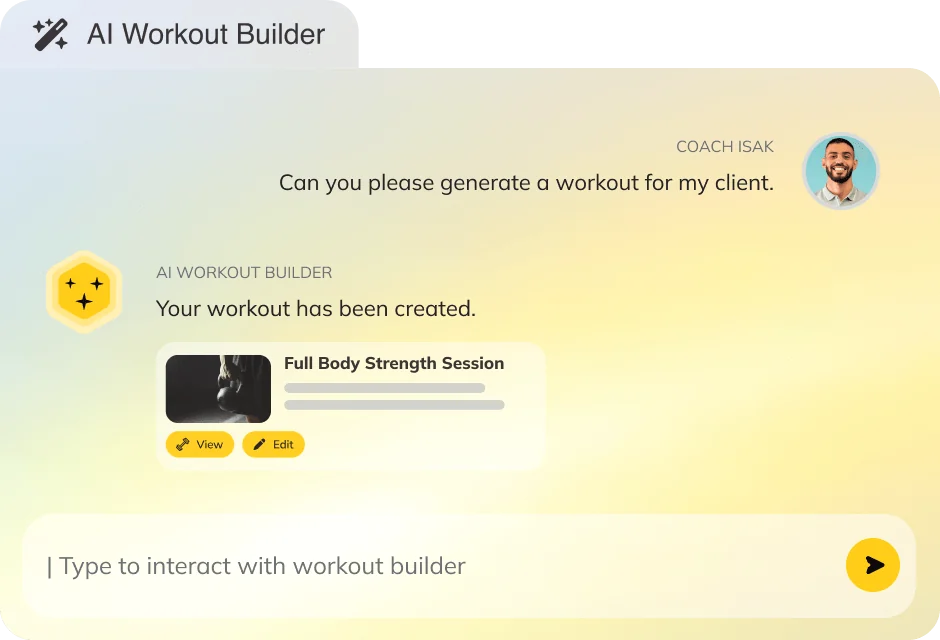
AI is becoming a major part of fitness software, but independent trainers should approach it with one question:
Will this actually save me time or help me deliver better coaching?
Not every AI feature deserves a place in your budget.
Focus on tools that address tasks you already spend significant time completing.
Examples include:
- AI-assisted workout creation.
- Automated onboarding sequences.
- Scheduled client reminders.
- AI-supported check-in responses.
- Progress summaries and engagement monitoring.
- Automated program delivery.
ABC Trainerize’s AI Workout Builder, for example, helps coaches create workout programs in up to 50% less time, while retaining control over the final programming decisions.
For more advanced capabilities, FitMetrics offers AI-supported tools designed to help coaches interpret client data, streamline check-ins, and identify opportunities for more personalized coaching.
The important distinction is that these tools solve different problems.
An AI workout builder reduces programming time. Automated onboarding reduces administrative work. AI-supported check-ins help coaches manage communication across larger rosters.
Business metric to track:
Hours saved per week, active clients per coach, and software cost per hour saved.
Time-to-revenue:
Often within the first month for established, repetitive workflows, provided setup and review time don’t outweigh the savings.
Integration and automation: how software scales your time
Software becomes particularly valuable when it eliminates the repetitive work happening between coaching sessions.
Think about the typical client journey:
A prospect discovers your services, books a consultation, purchases a package, receives a program, completes workouts, submits check-ins, and eventually renews.
Without connected systems, each stage can require manual work.
With the right integrations and automation, much of that administrative journey can run more efficiently.
What does an automated coaching workflow look like?
Here’s an example:
- A prospect books a consultation. An online booking page reduces back-and-forth scheduling messages.
- The prospect purchases a coaching package. Integrated payments simplify checkout and recurring billing.
- The client receives their program. Automated program delivery reduces manual setup.
- Workouts and progress are tracked. Connected fitness data and dashboards help monitor adherence.
- Check-ins inform coaching follow-up. Automated reminders and AI-assisted tools help coaches identify clients who need attention.
Actual automation depends on the platform, subscription tier, and integrations you configure.
With ABC Trainerize, coaches can combine workout delivery and client engagement with optional tools like Stripe Integrated Payments, the Business Add-on, and FitMetrics.
The Business Add-on includes prospect booking, referrals, and payment capabilities, while FitMetrics provides additional AI-assisted coaching workflows.
The goal isn’t to automate the relationship between coach and client.
It’s to automate the repetitive work surrounding that relationship.
Cost-benefit analysis: when does personal training software pay for itself?
Personal training software is an investment. And like any business investment, it should deliver measurable value.
There are four main ways to evaluate that value:
- Time saved: How many administrative hours can you eliminate?
- Client capacity: How many additional clients can you realistically serve?
- Revenue per working hour: Are you generating more revenue without increasing your hours proportionally?
- Client retention: Can better tracking and communication help reduce cancellations?
How to calculate your software’s ROI
Start with this simple formula:
Monthly time savings = Clients × Minutes saved per client per week × 4.33 ÷ 60
Then calculate:
Estimated monthly value = Hours saved × Value of your time + Additional contribution from new or retained clients
Finally:
ROI (%) = (Estimated monthly value − Monthly software cost) ÷ Monthly software cost × 100
For example, imagine you’re coaching 50 clients and software saves ten minutes per client each week.
That’s approximately 36 hours saved monthly.
If you value your time at $40 per hour, you’ve recovered roughly $1,443 in potential monthly time value.
Even after a $150 software subscription, the estimated value exceeds the subscription expense.
However, this isn’t necessarily $1,293 in additional profit. That depends on whether you can use those hours to generate revenue or reduce operating costs.
For a more accurate calculation, include setup expenses, add-on fees, transaction fees, and the cost of serving any additional clients.
When should you move from spreadsheets to paid software?
Spreadsheets can be useful when you’re just getting started. They’re affordable, flexible, and familiar.
But they become less effective when maintaining them starts competing with your ability to grow.
| Business stage | Main priority | Software approach |
| 1–10 clients | Keeping costs low | Spreadsheets or entry-level software |
| 11–25 clients | Consistent coaching delivery | Core client management and programming |
| 26–50 clients | Reducing administrative work | Payments, communication, and automation |
| 51–100 clients | Increasing capacity and retention | Advanced reporting, integrations, and automation |
| 100+ clients | Standardizing operations | Team management, permissions, and scalable workflows |
These aren’t strict rules.
A trainer with ten high-touch clients may need more sophisticated tools than someone delivering standardized programs to 50 clients.
The better question is: How much time and revenue is your current setup costing you?
Frequently asked questions about personal training software
1. Can I start with a small software plan and upgrade as my business grows?
Yes. Many personal training software platforms offer plans based on client capacity, allowing you to start with a smaller subscription and upgrade as your roster expands. Before committing, check upgrade pricing, client limits, and whether your existing data and workflows will remain intact.
2. How much time can personal training software really save?
It depends on your current workflow and which features you automate. For example, saving ten minutes per client per week across 30 clients would recover approximately five hours weekly. Track your administrative time before and after implementation to measure actual savings.
3. Is AI automation worth the learning curve for independent trainers?
AI automation is most valuable when it solves an existing, repetitive problem. Tools that assist with workout programming, client check-ins, or progress analysis can reduce administrative work, but they still require setup, review, and professional oversight. Start with one use case and measure the results before investing in additional AI features.
4. Does ABC Trainerize integrate with my current payment processor?
ABC Trainerize supports Stripe Integrated Payments, available as an optional add-on on eligible paid plans and included in the Business Add-on and Studio plans. Other payment methods may require separate workflows rather than native payment automation. Check Stripe availability in your country and confirm compatibility with your current billing setup before switching.
5. What should I prioritize first: client management, automation, or AI?
Start with the feature that addresses your biggest operational bottleneck. If client information is disorganized, prioritize client management. If billing takes too much time, focus on payment automation. If you’re spending hours writing repetitive check-ins, AI-assisted workflows may be worth exploring. The best investment solves a real problem rather than adding technology you don’t need.
Conclusion: choose personal training software that grows with your business
Scaling an independent personal training business isn’t just about signing more clients.
It’s about building a business that can support those clients without requiring you to work longer hours every time your roster grows.
The right personal training software helps you get there by simplifying operations, improving client experiences, and giving you more control over your time.
Before making your decision, remember three things:
- Start with your biggest bottleneck. Choose the features that solve today’s challenges before investing in advanced functionality.
- Understand the total cost. Look beyond subscription prices to account for client limits, add-ons, payment fees, integrations, and implementation.
- Measure what matters. Track time saved, revenue per working hour, client capacity, and retention to understand whether your software is delivering real business value.
And most importantly, choose a platform that can support the business you’re building, not just the one you’re running today.
With ABC Trainerize, independent trainers can bring coaching, client engagement, progress tracking, and business management together in one connected platform, adding more advanced tools as their business grows.
Ready to spend less time managing your business and more time growing it?
Start your 30-day free trial of ABC Trainerize and discover how the right software can help you scale your coaching business.